Settings

Settings & BYO Claude

Configure everything in one admin-gated screen: connect your Anthropic Claude API key, set up SMTP email and Twilio SMS, configure engagement thresholds, enable TOTP two-factor authentication, and manage all 47+ integration API keys.
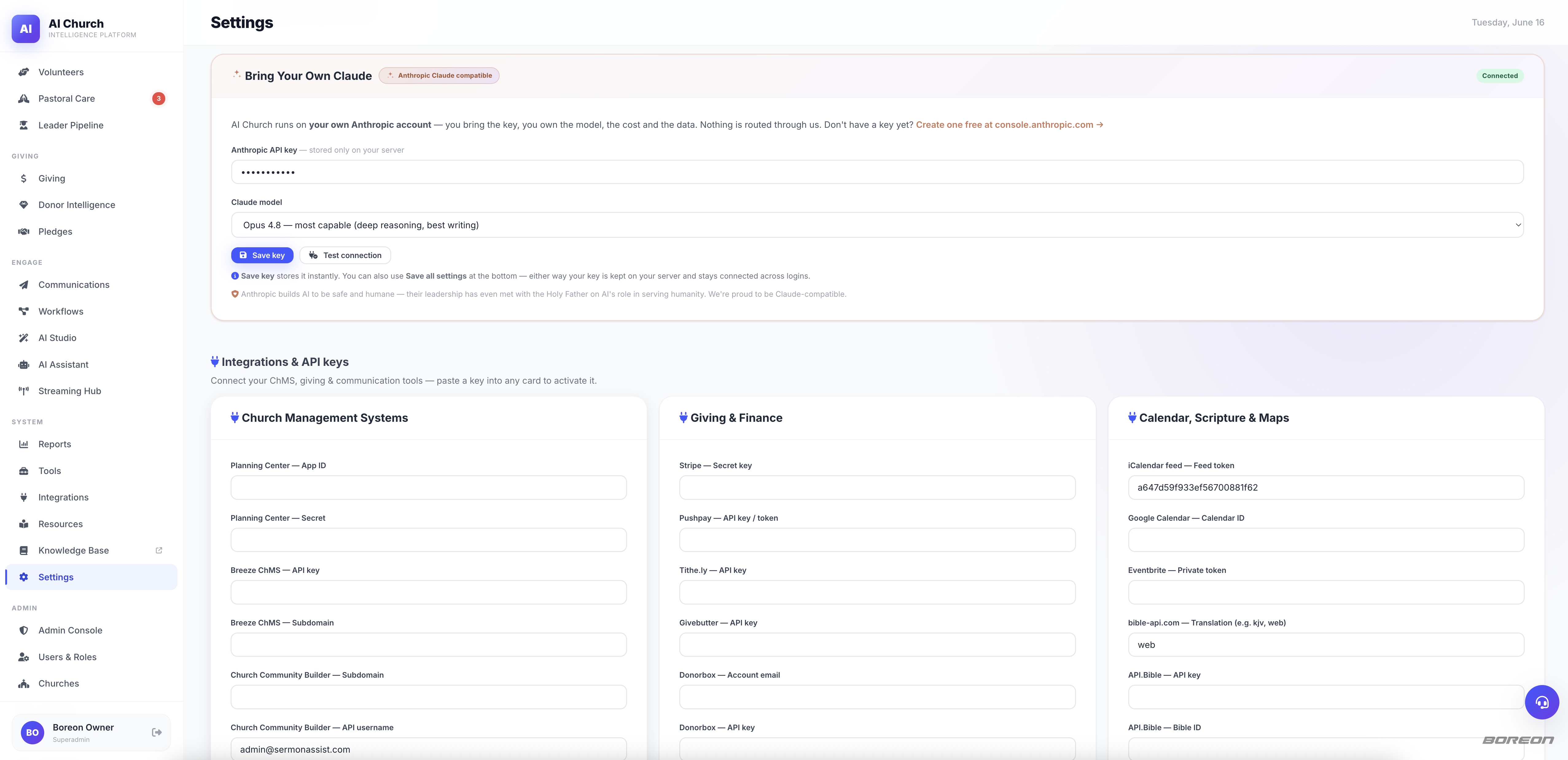
aichurch.boreon.com/app.php?page=settings
Settings & BYO Claude screenshot

Everything you need for settings & byo claude

Built for churches of every size. Free forever. Deployed on your own hosting so your congregation's data never leaves your control.

Bring Your Own Claude

Paste your Anthropic API key, pick Opus 4.8 / Sonnet 4.6 / Haiku 4.5, and click "Save key." Dedicated save button — no full-form submission needed. Test connection instantly.

SMTP Email Config

Enter host, port, user, password, and from address. Hit "Test SMTP" to send a real test email before Sunday. STARTTLS/SSL supported with cert verification.

TOTP Two-Factor Auth

Scan a QR code in Google Authenticator, Authy, or any TOTP app. 2FA is mandatory for staff accounts and optional for the first-run admin — enforced server-side.

47+ Integration Keys

API keys for every integration stored securely in your SQLite settings table — never hardcoded, never in config files, never shared with any third party.

3
Claude Models Supported
47+
Integration Keys Managed
100%
Admin-Role Gated

Total control. Total privacy. Zero monthly fees.

Your church's data, your API keys, your server — AI Church never phones home and never charges for features.

Get Started Free Explore All Features